
Scheduling plan of care visits
When a plan of care is created, Penciled will message the patient to automatically schedule out their appointments.
Triggering plan of care scheduling
Plan of care scheduling links are immediately sent the moment that a plan of care is saved.
If the patient was added through the recommended patients tab, Penciled will automatically create a plan of care based on available notes in WebPT and reach out to the patient to schedule visits.
If the plan of care was created manually, Penciled will automatically send the plan of care scheduling link when the plan of care is saved.
At any time, plan of care scheduling links can be triggered manually by the front office by clicking contact patients to book visits on the specific plan of care page.
Patient experiences
Message to schedule visits
When a plan of care gets saved in Penciled, patients will get messaged to schedule visits. The message they receive will look like Hey Shawn, your therapist would like you to schedule appointments. To schedule your visits, click on the link below." This message is customizable.
Scheduling experience for follow-ups
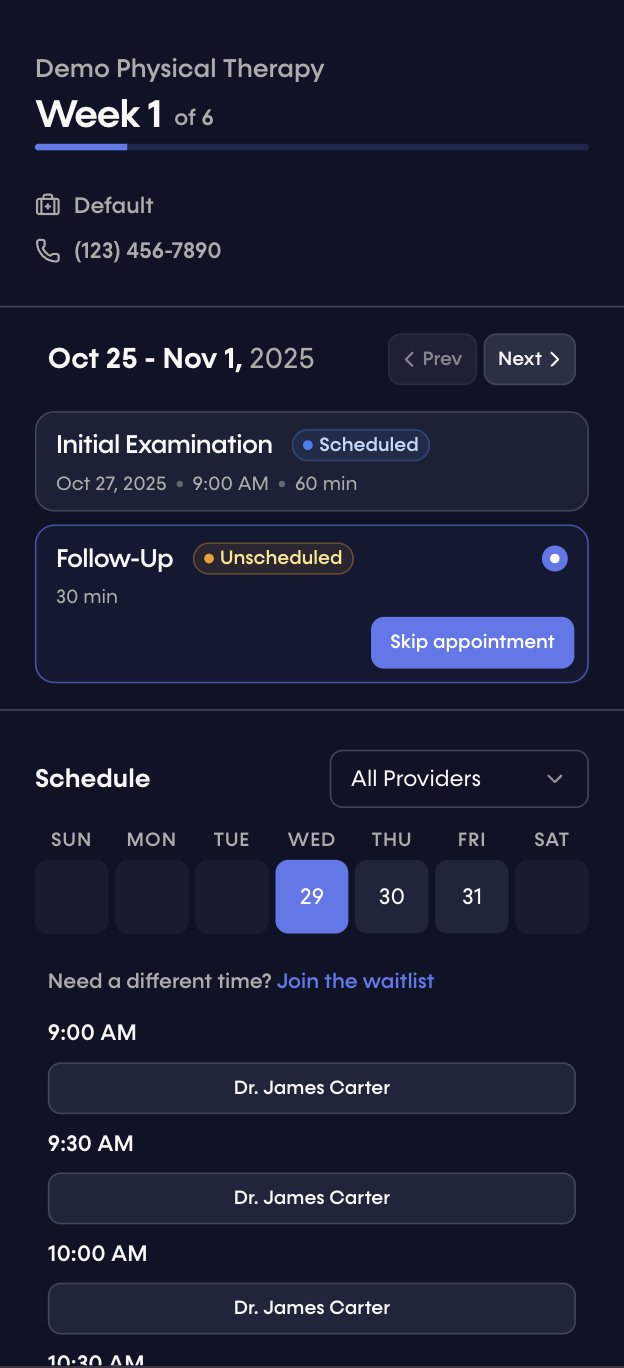
Once a patient clicks on the link, they will be directed to a scheduling page allowing them to schedule out all of their visits.
On this page, patients are presented with all the available options for associated providers, and they can schedule them directly into WebPT.
Note: in the example below, the follow-up is not allowed to be scheduled on 10/28 because the gap parameter in this patient's plan of care was set to 1. The gap parameter forces the system to leave at least 1 day in between visits, which is why the follow-up for visit 2 can be scheduled on 10/29 at the earliest in this example.
Scheduling beyond the first week
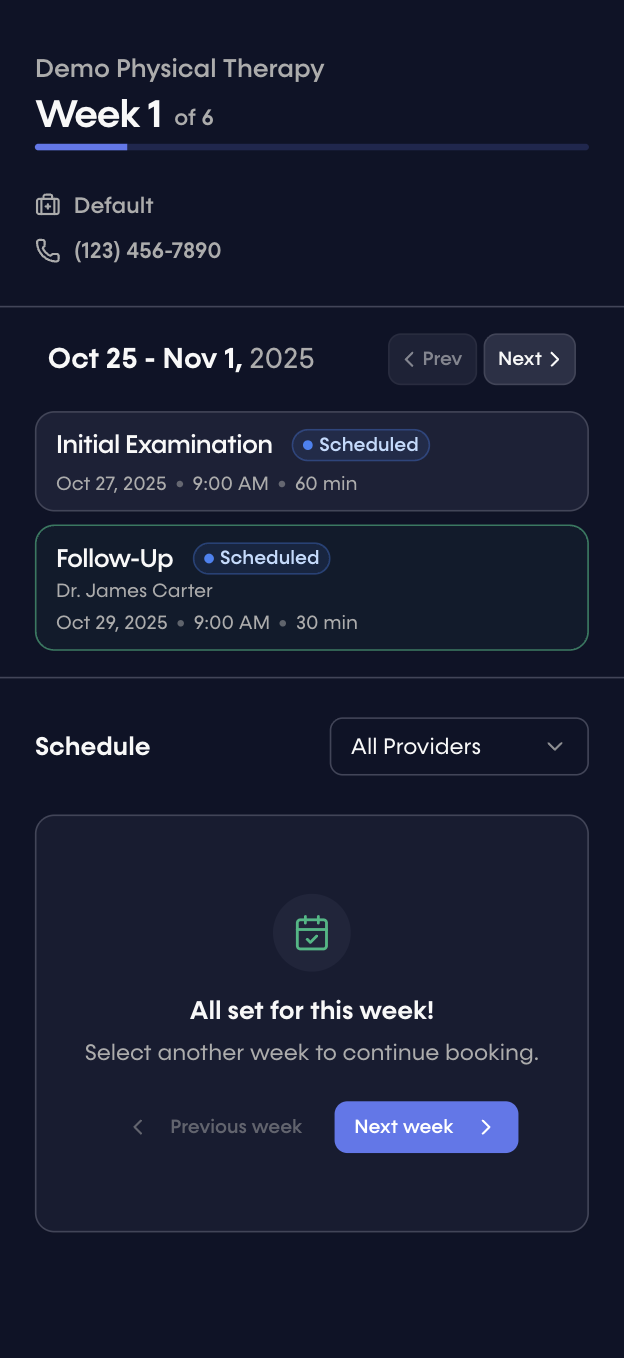
After clicking next week, patients are able to schedule their prescribed visits for the following week. They can continue this process for the entire plan of care.
Multiple visits in one week
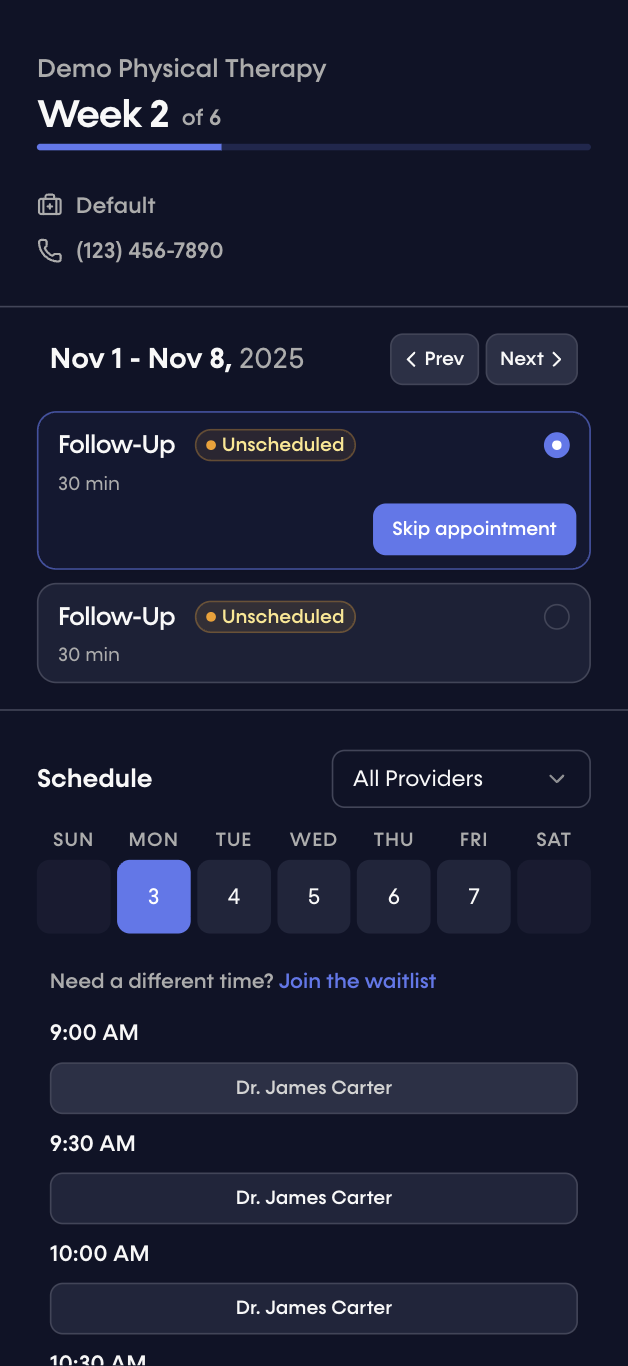
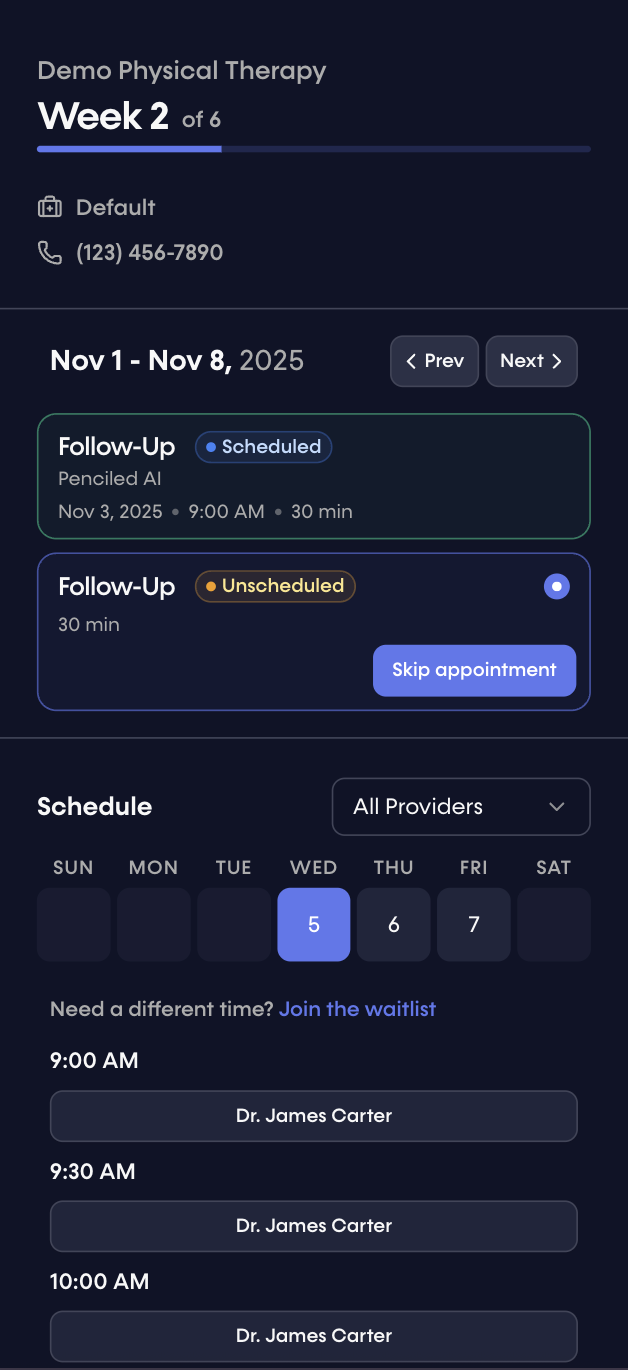
Patients can easily schedule multiple visits in one week. If a visit is scheduled, the available times will change for subsequent visits in the same week. If a patient clicks skip appointment, they will be prompted to schedule any remaining visits in that week.
Join the waitlist
If the available times do not work for the patient, they can click join the waitlist which will immediately opt them into the waitlist, enrolling them into message notifications for last-minute cancellation openings that fit that visit criteria.
Confirmation
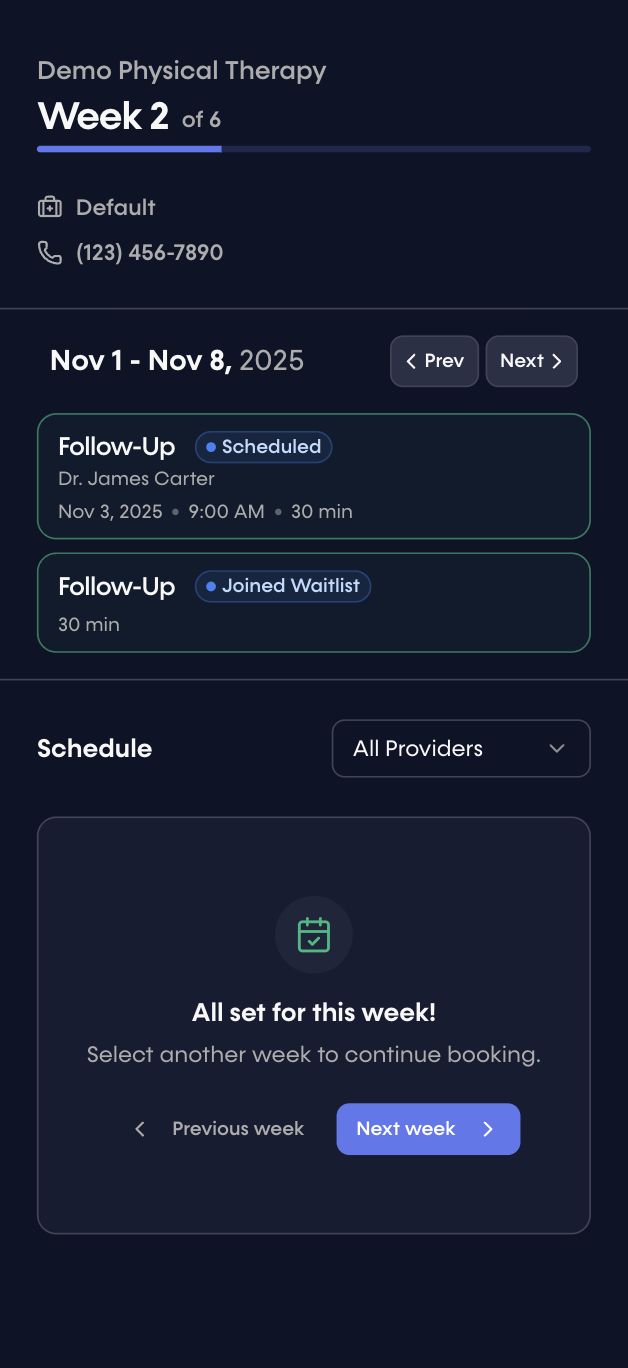
After choosing their visits for a given week, patients receive a confirmation page for that week.
Note: in this example, join waitlist was chosen for the second visit, which is reflected in the confirmation status for that visit.
For every visit scheduled, patients will also receive the following confirmation message via SMS.
Your appointment with Dr. James Carter on Monday, November 3, 2025 at 9:00 AM is confirmed. See you there!
This message is customizable in your Penciled settings.
Entire plans of care
Patients can schedule out all weeks of their plan of care in one link.