
Enabling AI reminders
Penciled allows you to configure AI-powered, two-way SMS reminders for all upcoming appointments.
These reminders can automatically confirm attendance or cancel appointments directly in WebPT based on patient responses.
Turning on reminders
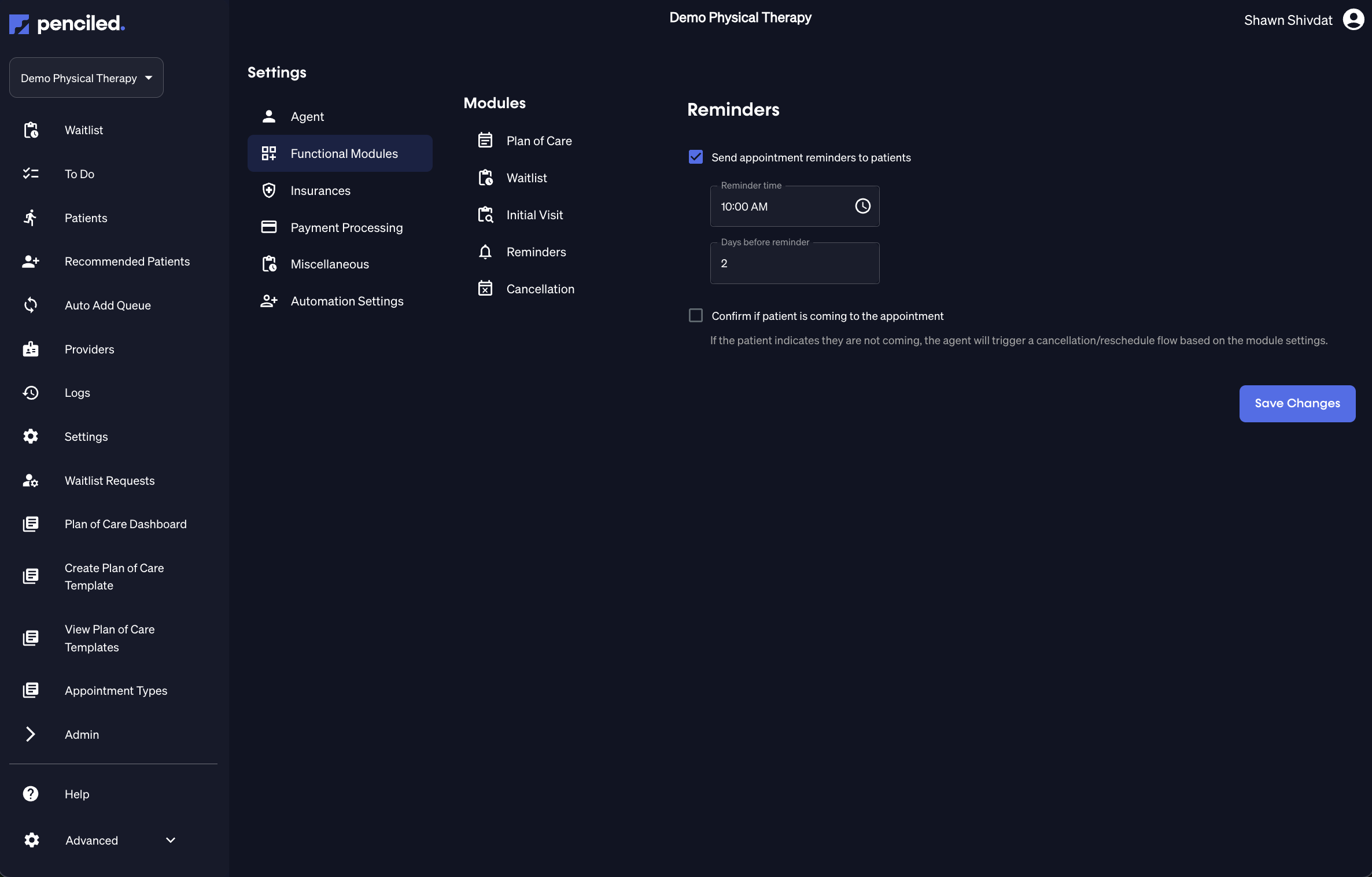
From the Settings → Functional Modules → Reminders section, you can enable automated reminders for all appointments.
- Check send appointment reminders to patients.
- Choose the reminder time (when reminders should be sent each day).
- Enter the number of days before the appointment that reminders should be sent.
Enabling confirmations
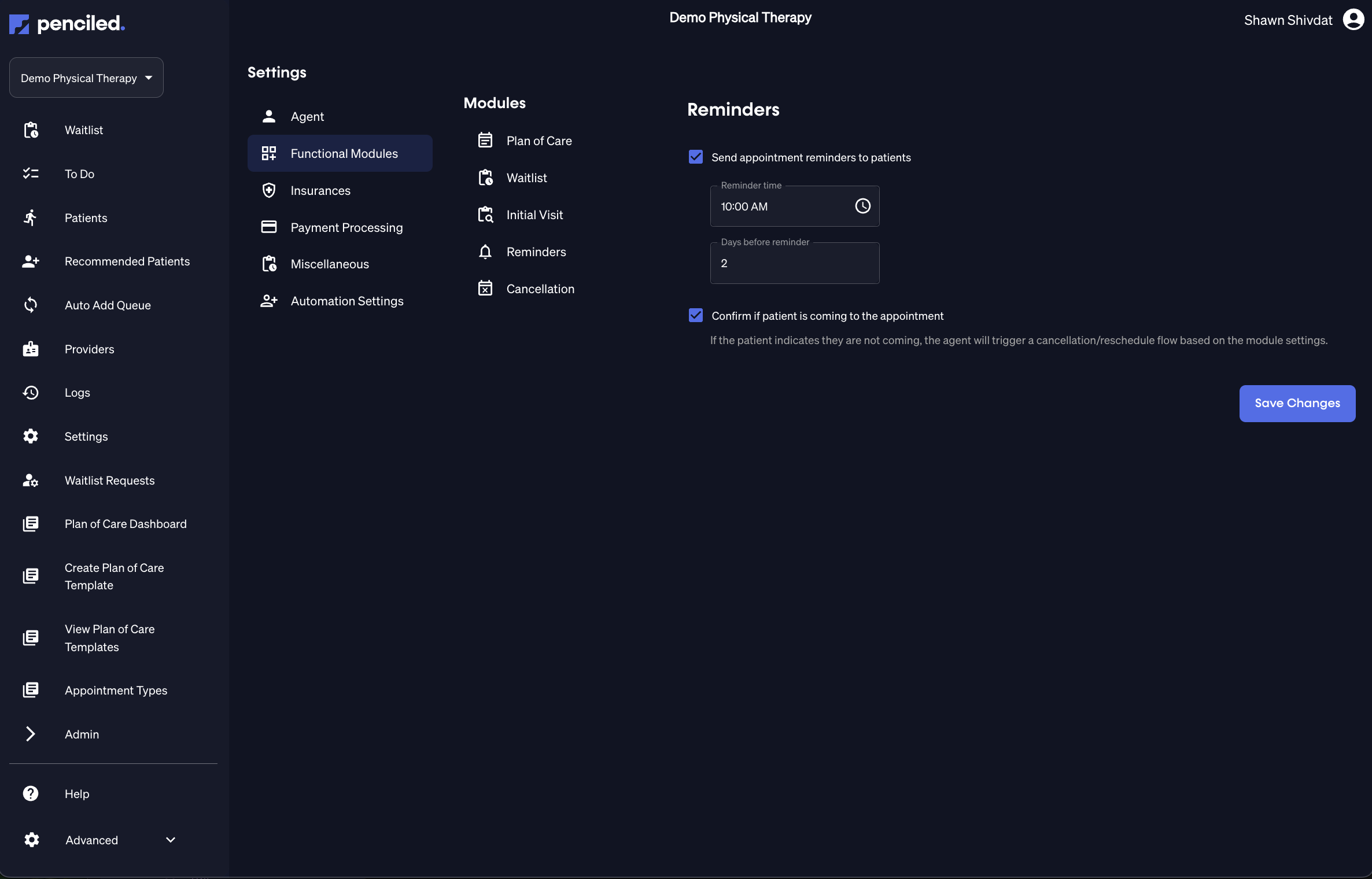
You can also have the AI ask patients to confirm if they plan to attend their appointment.
To do this, check confirm if patient is coming to the appointment.
If the patient replies that they are not coming, the AI will automatically trigger the cancellation flow based on your module settings.
Example confirmation flow
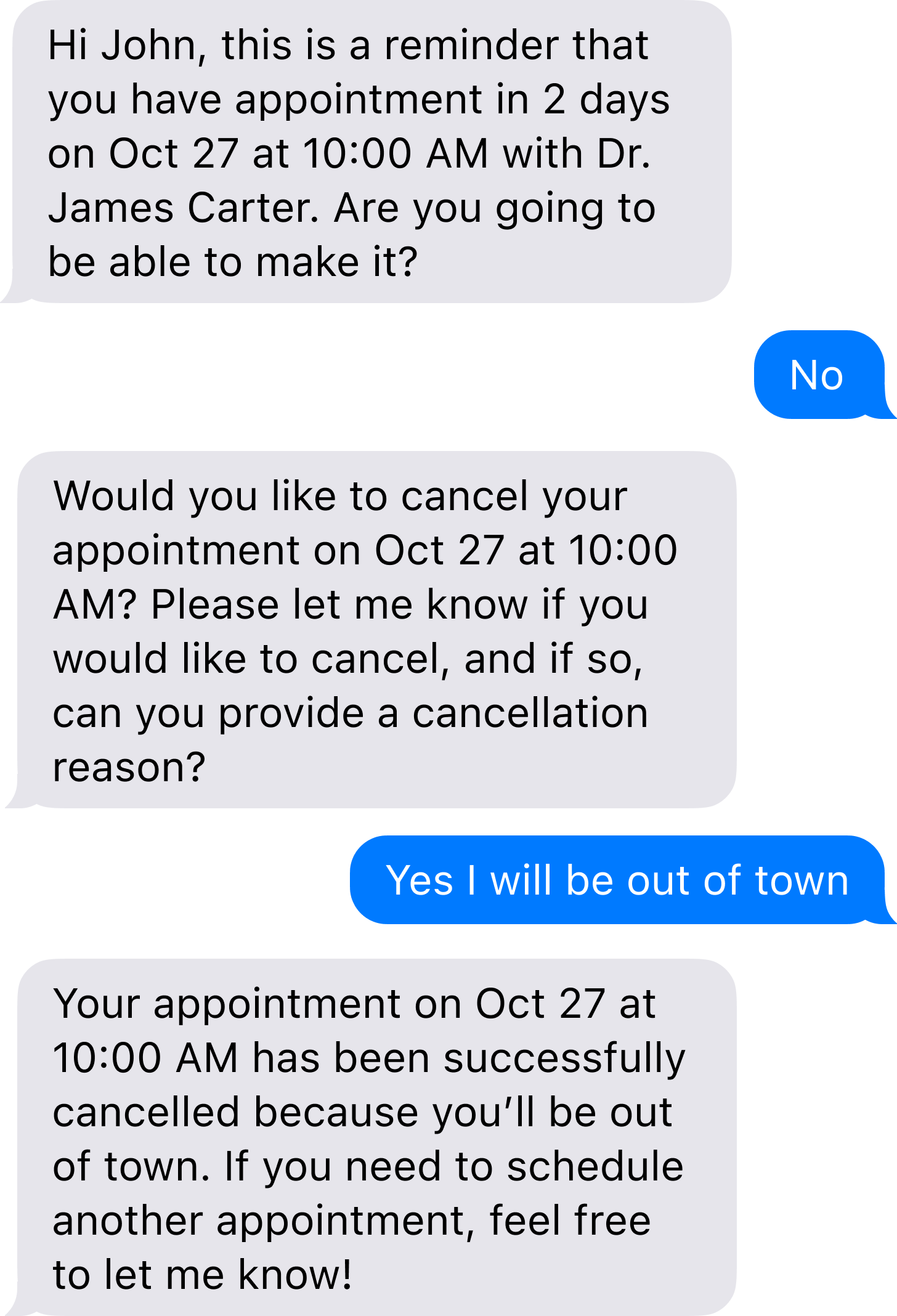
Here’s an example of what the reminder and confirmation sequence looks like for patients.
In this case, both confirmations and cancellations are enabled, so the AI automatically cancels the appointment in WebPT when the patient indicates they cannot attend.
Waitlist auto-triggers
Whenever an appointment is cancelled—whether manually or automatically during a reminder flow—
Penciled immediately notifies patients on the waitlist of the new opening.
If the waitlist is enabled, this process happens automatically within seconds of the cancellation.
Handling cancellations and fees
If a patient replies that they are not able to make it, Penciled can:
- Automatically cancel the appointment in WebPT.
- Trigger the waitlist to fill the open slot.
- Optionally charge a cancellation fee, based on your settings.
You can configure cancellation fee policies and time windows in the cancellations settings.
For more details, see cancellations.