
Recommended patients to add
Studies show that only 35% of patients complete their plan of care. Patients who fail to complete their plan of care are less likely to get better and they cost significant lost revenue especially for clinics dedicating resources to acquire new patients.
Penciled will automatically flag patients who appear to be active patients and are missing viists. These are patients which Penciled recommends to be added to the platform.
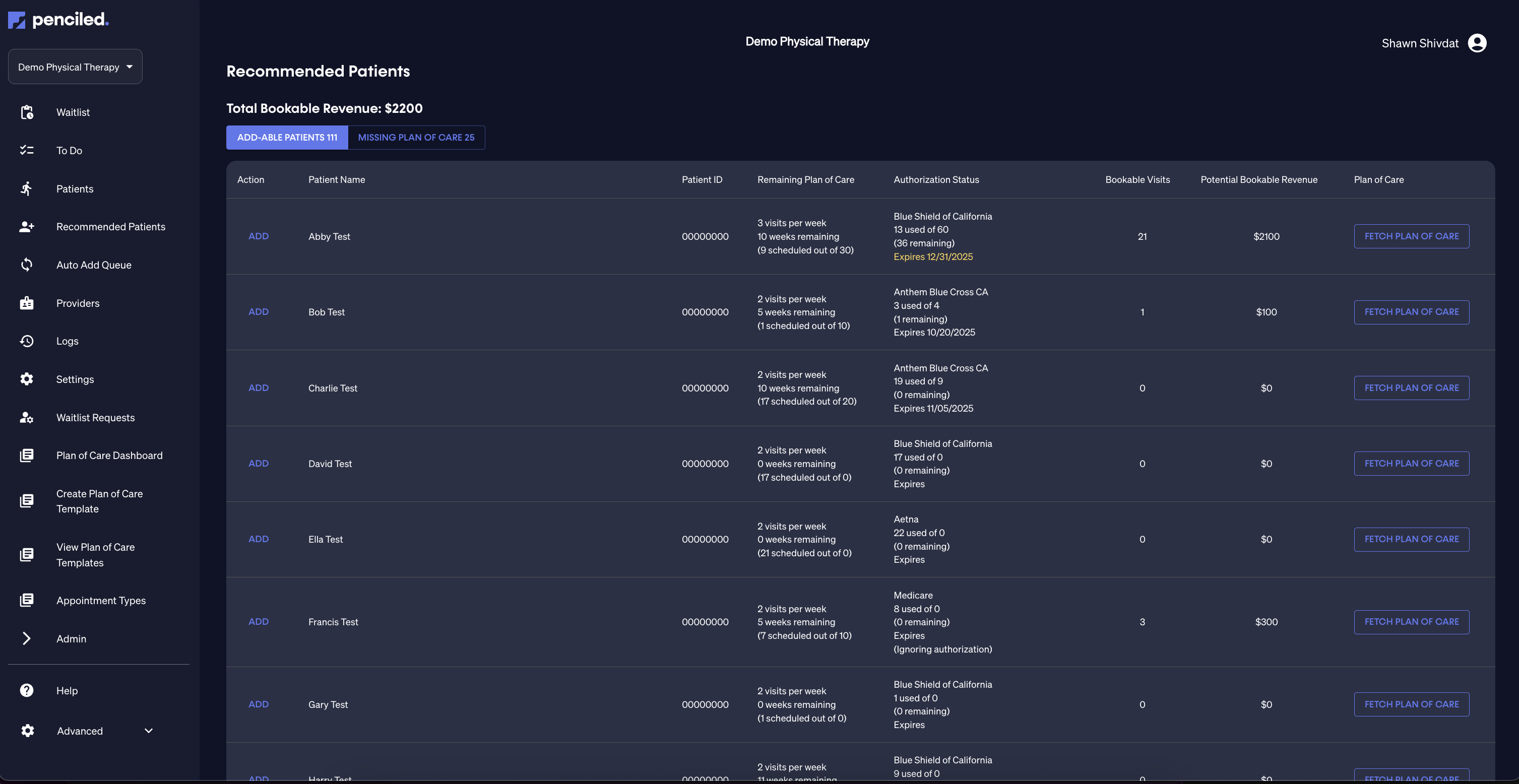
To review the recommended patients, click recommended patients on the sidebar. This may take up to 30 seconds to load since it refreshes data from WebPT immediately.
Where are these patients generated from?
Penciled performs its own logic to construct a list of patients which are believed to be active patients. Penciled's additional logic works in settings where your clinic is not keeping an up-to-date active patients list inside of WebPT.
Active patients = patients with a visit scheduled
The Penciled platform automatically scans your WebPT calendar, looking 30 days into the past and 30 days into the future, in order to generate a list of unique patients who have had at least one visit. Patients with visits scheduled during the rolling time window will be marked as active unless discharged.
Discharged status for patients with multiple case studies
Penciled counts a patient as discharged and removes them from the recommended list only if all of their associated case studies are discharged.
How does Penciled calculate the remaining plan of care?
Penciled automatically pulls prescibed care plans from WebPT and calculates any outstanding visits that are remaining in the plan.
How plans are retrieved from WebPT
When a patient is determined to be active, Penciled will automatically retrieve all of the IE/RE documentation for that patient that exists within WebPT.
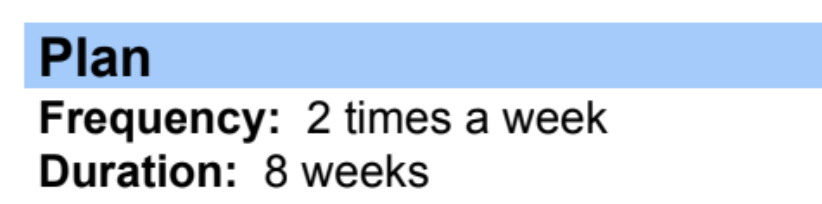
Penciled will scan these notes for any instances of a prescribed plan. If a patient has multiple plans across different notes for the same case study, Penciled will combine these plans using the dates of each document for scheduling purposes.
Remaining plan of care in recommended patients table
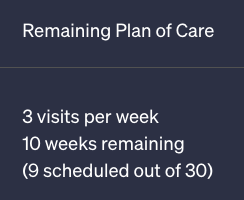
The recommended patients table contains a column titled remaining plan of care. These are the visits that Penciled believes were originally prescribed but are not scheduled.
This data is generated by reading the plans of care and checking the WebPT schedule for the patient to find scheduled visits.
Authorized visits
Penciled pulls authorizations from WebPT and uses this data to check if the visits which are prescribed are actually authorized. Penciled checks the remaining plan of care and authorization status to calculate the number of visits which are outstanding and bookable.
Authorization is pulled directly from WebPT
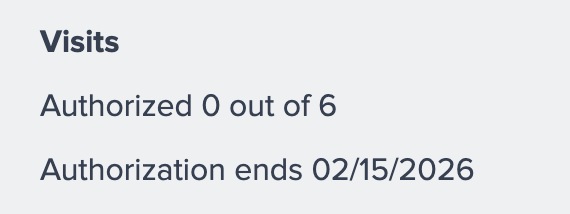
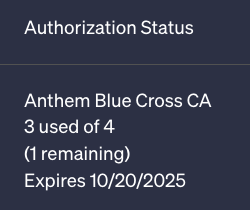
Penciled reads authorization data directly from WebPT. For example, the screenshot below contains data which is parsable by Penciled when calculating authorization status.
Penciled displays authorization status in the patient table
The authorization status column contains the authorization data that Penciled retrieved from WebPT.
Visit count and expiration
Penciled takes into account both the number of visits authorized and the date of expiration in WebPT on that authorization if there is an expiration.
Penciled will not include visits that would ultimately be expired if scheduled into the bookable visits calculation.
Bookable visits
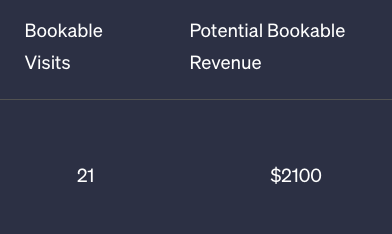
Penciled combines information from any prescribed care plans, visit authorizations, and all scheduled visits in order to calculate the number of bookable visits that are outstanding.
Bookable visits are visits that Penciled believes are missing, and they reflect possible lost revenue to the clinic if not scheduled.
Fetch plan of care
You can inspect the plan of care calculations by clicking fetch plan of care which will display a table of prescribed and scheduled visits week by week.
Payers to ignore authorization
Many cohorts of patients are categorized under payers for which WebPT's authorization status does not apply.
Some common examples we have seen are Medicare and Self pay. However, some clinics may have even more payers for which the authorization status is not a required factor when scheduling.
Penciled will display ignoring authorization in the authorization status on the patients table if the payer has been set within Penciled as a payer for which to ignore authorization. For patients where authorization is ignored, Penciled will default to schedule any outstanding prescribed visits without taking into account the visit authorization.
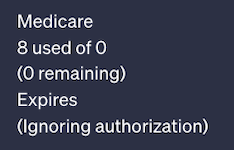
You can adjust which payers for which Penciled should ignore authorization in the insurance settings.
SOAP 1 and SOAP 2
Penciled works for both SOAP 1 and SOAP 2 WebPT users. Even though the plan of care and authorization information is stored differently, our AI can retrieve data from both systems and operates in the same way to schedule.
Add patient
If add is clicked for any patients on the recommended table, Penciled will immediately reach out to schedule any missing visits.

Automatically add patients
Penciled can be set up to automatically add any detected active patients to immediately schedule any missing visits. To set this up see auto add.